
Speakers & DACs
In Docker, Soloist plays into Encore's own PipeWire graph, and Encore fans that audio out to every output you switch on in Settings → Audio Outputs. You can play through the Pi's headphone jack, HDMI and Snapcast all at once.
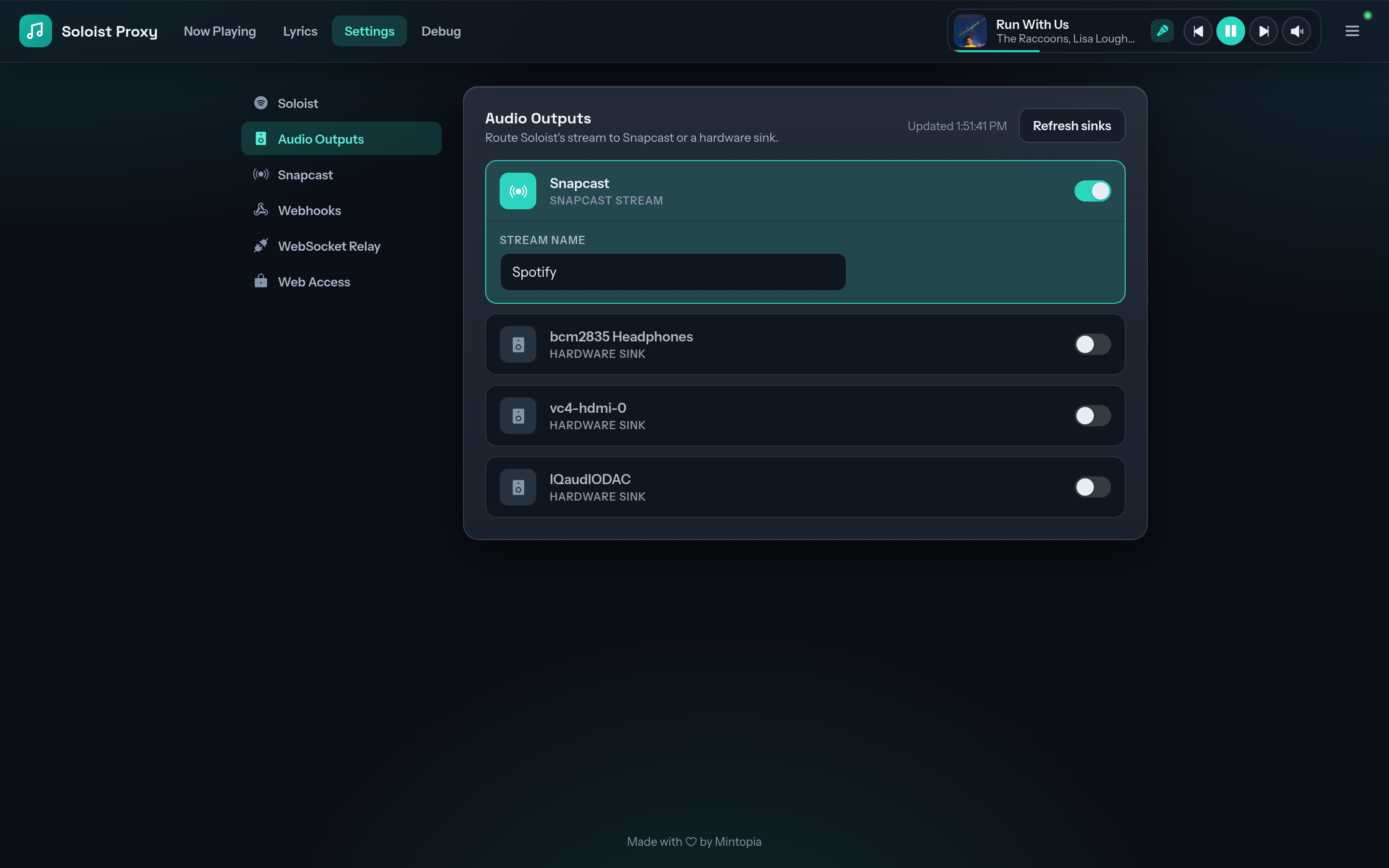
What shows up
Every ALSA sound card passed into the container through /dev/snd appears in the list:
- the board's 3.5 mm headphone jack, if it has one
- HDMI audio
- USB DACs and USB speakers
- DAC HATs, once their overlay is enabled (how)
- Snapcast, Encore's built-in multi-room stream, on by default
If a card is missing, check aplay -l on the Pi lists it, and that the Compose file mounts both /dev/snd and /run/udev. Use Refresh sinks to rescan after plugging something in.
Encore relinks outputs on its own within 30 seconds when a card is plugged in or PipeWire restarts. An output you switched on that isn't connected stays in the list as (not detected), so you can switch it off.
Hardware outputs start at full volume, so Spotify's volume control is the only one you need. Snapcast rooms also have their own per-client volume in Snapweb.
Per-output delay
Each hardware output has a Delay (ms) setting, from 0 to 5000 ms. Use it to line a local speaker up with Snapcast clients in other rooms, or with a TV that adds its own latency.
Saving a changed delay briefly interrupts every delayed output. That's expected for a setting you calibrate once and leave.
In config.yaml
Outputs are listed by their PipeWire node.name:
audio:
  outputs:
    - alsa_output.platform-bcm2835_audio.stereo-fallback
  output_delays:
    alsa_output.platform-bcm2835_audio.stereo-fallback: 120
  snapcast: true
The exact names depend on your hardware. Pick them in the console rather than guessing.
Standalone mode
Without Docker there's no fan-out. Pick a single PipeWire device for Soloist in Settings → Soloist instead.